From first script import to finished export, every stage of audio drama and audiobook production in one place.
📖
Manuscript Import & AI Analysis
Import a Word document, EPUB, or text file. The AI splits it into chapters, finds every speaker, dialogue and narration alike, and builds your cast. Analysis uses the AI provider you choose (Anthropic, OpenAI, xAI, Together AI, or OpenRouter) with your own API key.
Word · EPUB · Text
👥
Multi-Character Voice Casting
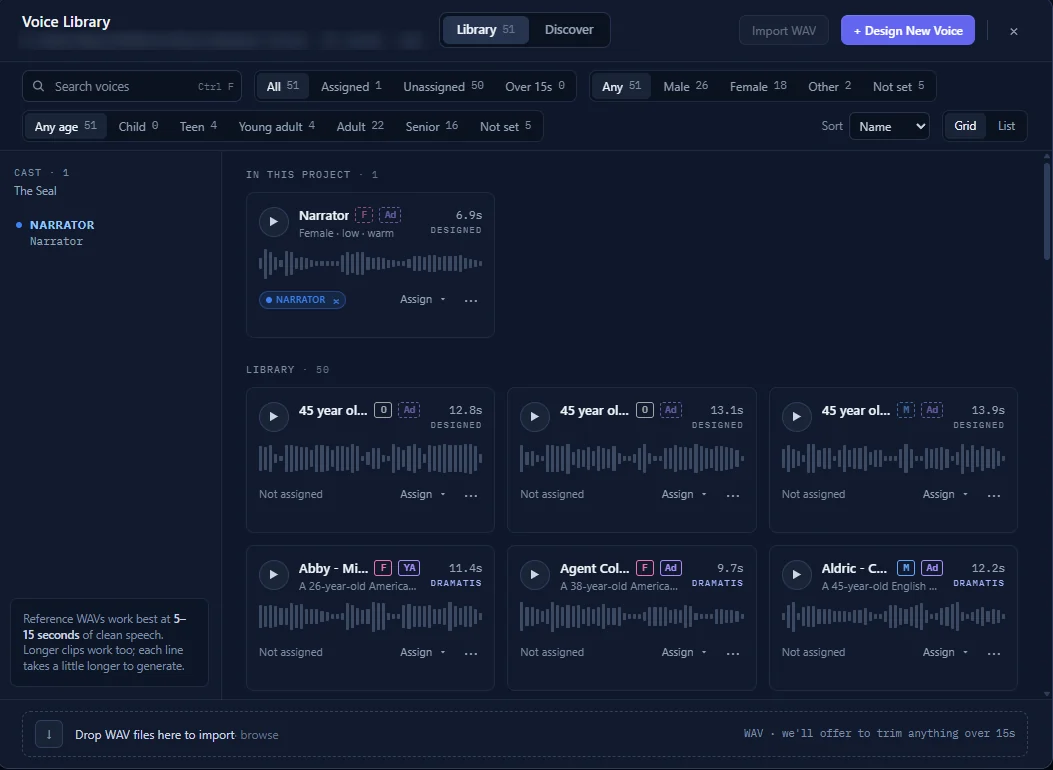
Give every character a distinct voice that stays with them across scenes and chapters. Your narrator always sounds like your narrator, your villain like your villain. A series cast keeps the same voices across every book in a series.
Series-wide casting
🗄️
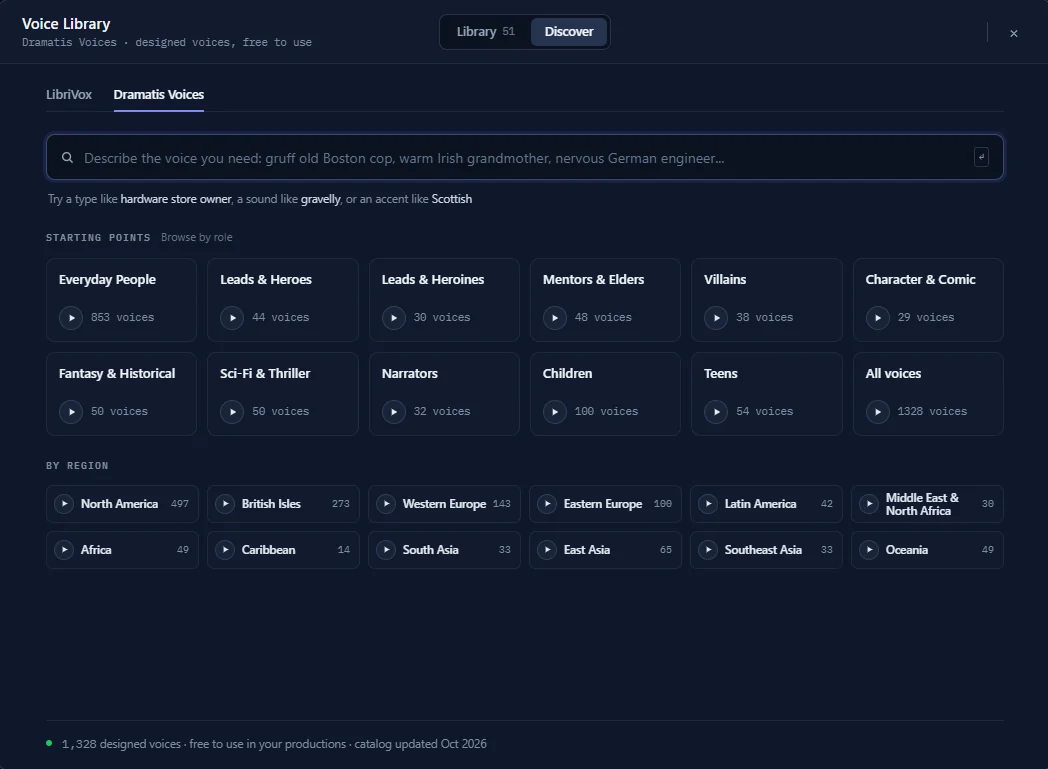
1,328 Free Voices, and Your Own
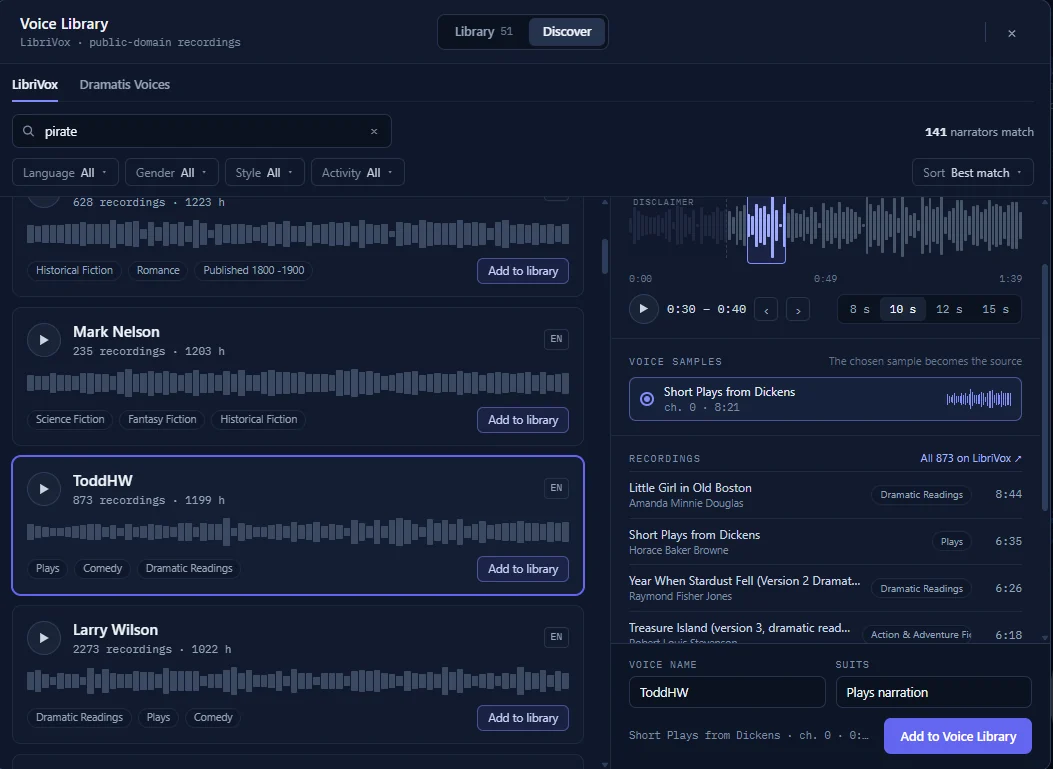
Browse Dramatis Voices: 1,328 designed voices sorted by role and region, free to use in your productions. Discover LibriVox narrators, design a new voice from a written description, or clone one from a short reference clip.
Dramatis Voices · LibriVox · Voice Designer
🎬
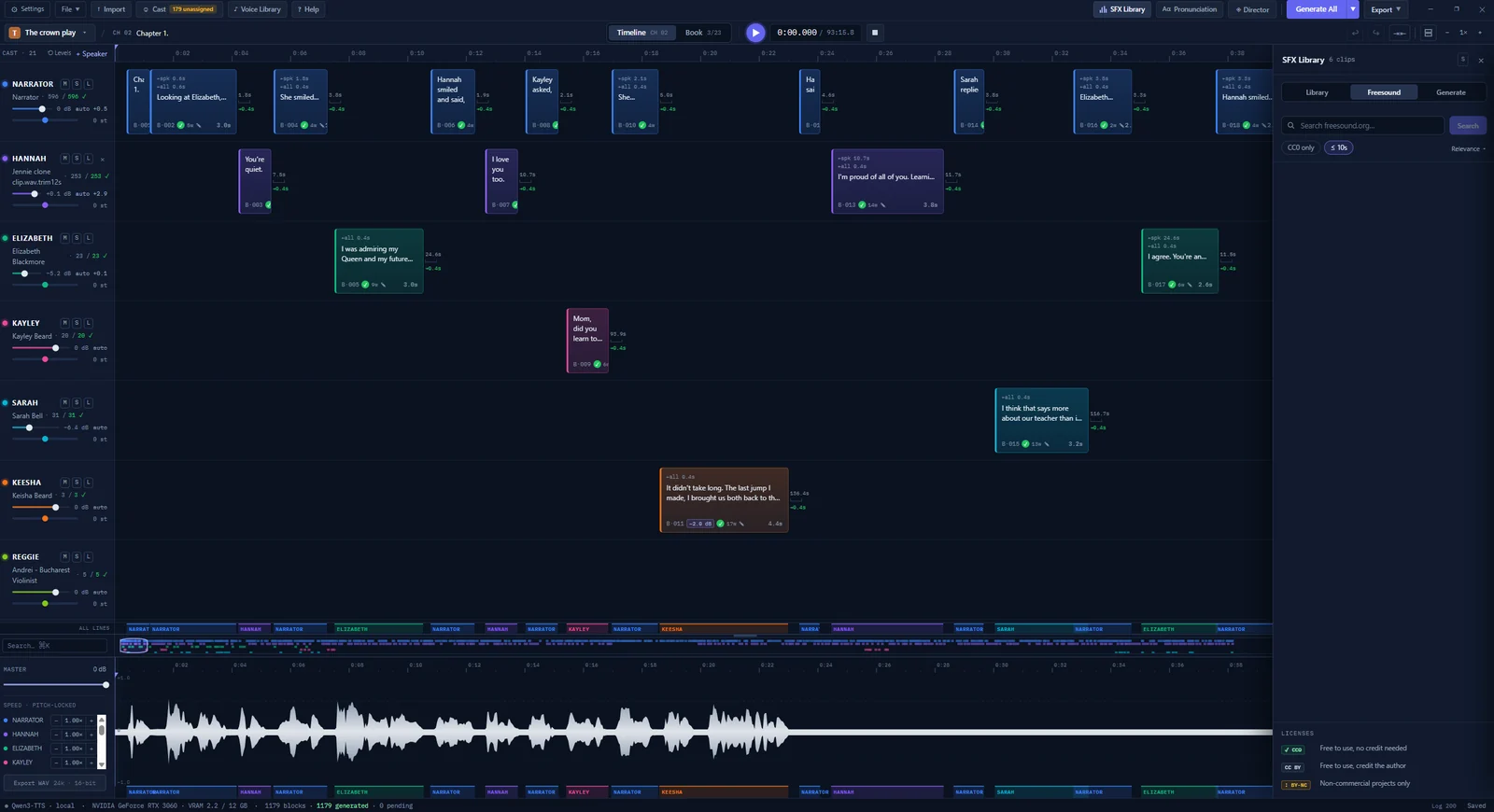
Production Timeline
A multi-track timeline gives every character a lane and every sound effect a place. Drag blocks, set the gaps between lines, mute or solo characters, and see the whole production at once.
Multi-track layout
✂️
Effects & Line Editing
Give a character reverb, a phone filter, pitch, distance, or echo. Then fine-tune a single line or word without regenerating it: louder or quieter, an echo, a muted breath, a slower pace, a pause made shorter or longer, or a stray sound cut out. Every edit is non-destructive and can be removed later.
Character effects · Word effects · Pause length
🎵
Sound Effects
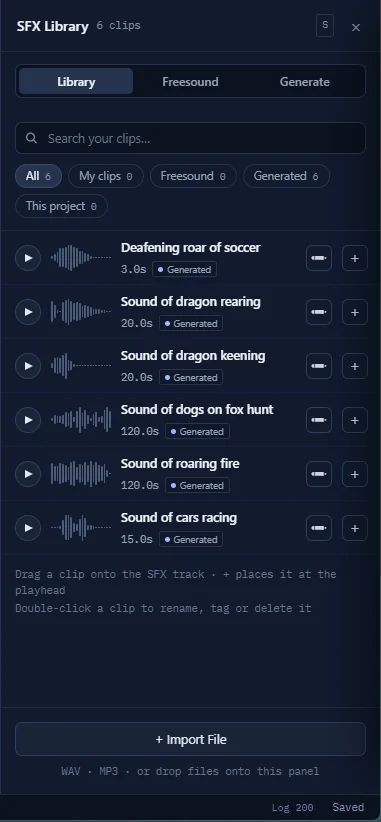
Generate sound effects from a text prompt with Stable Audio, search Freesound's library with clear license badges, or import your own. Place them on the sound-effect track alongside the dialogue.
Stable Audio · Freesound · Your files
🤖
AI Director
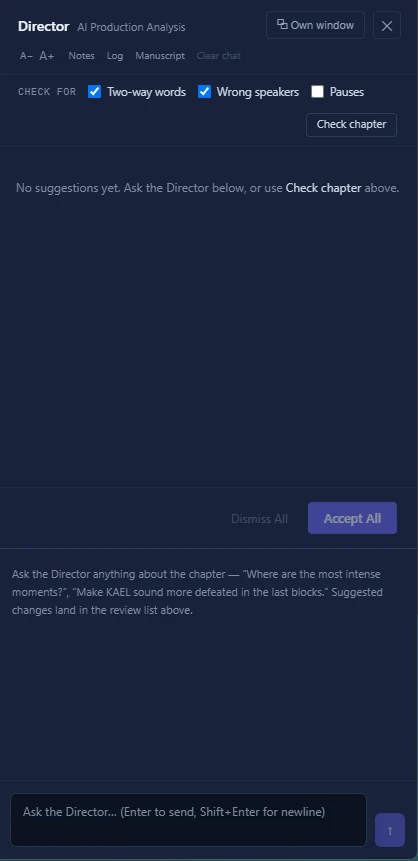
The Director checks a chapter for two-way words (read and read), lines given to the wrong speaker, and pauses, and answers questions about your chapter. Every suggestion arrives as a card you accept or dismiss.
You stay in control
🗣️
Pronunciation Guide
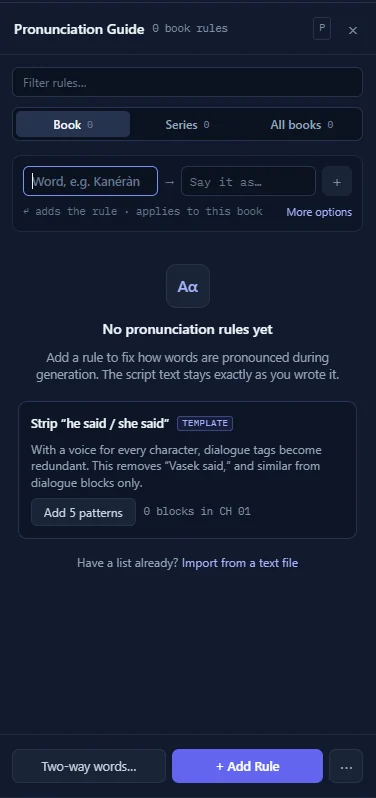
Fix how names and invented words are spoken, for one book, a whole series, or every book, while the script text stays exactly as written. A one-click template removes "he said / she said" tags from dialogue.
Book · Series · All books
📦
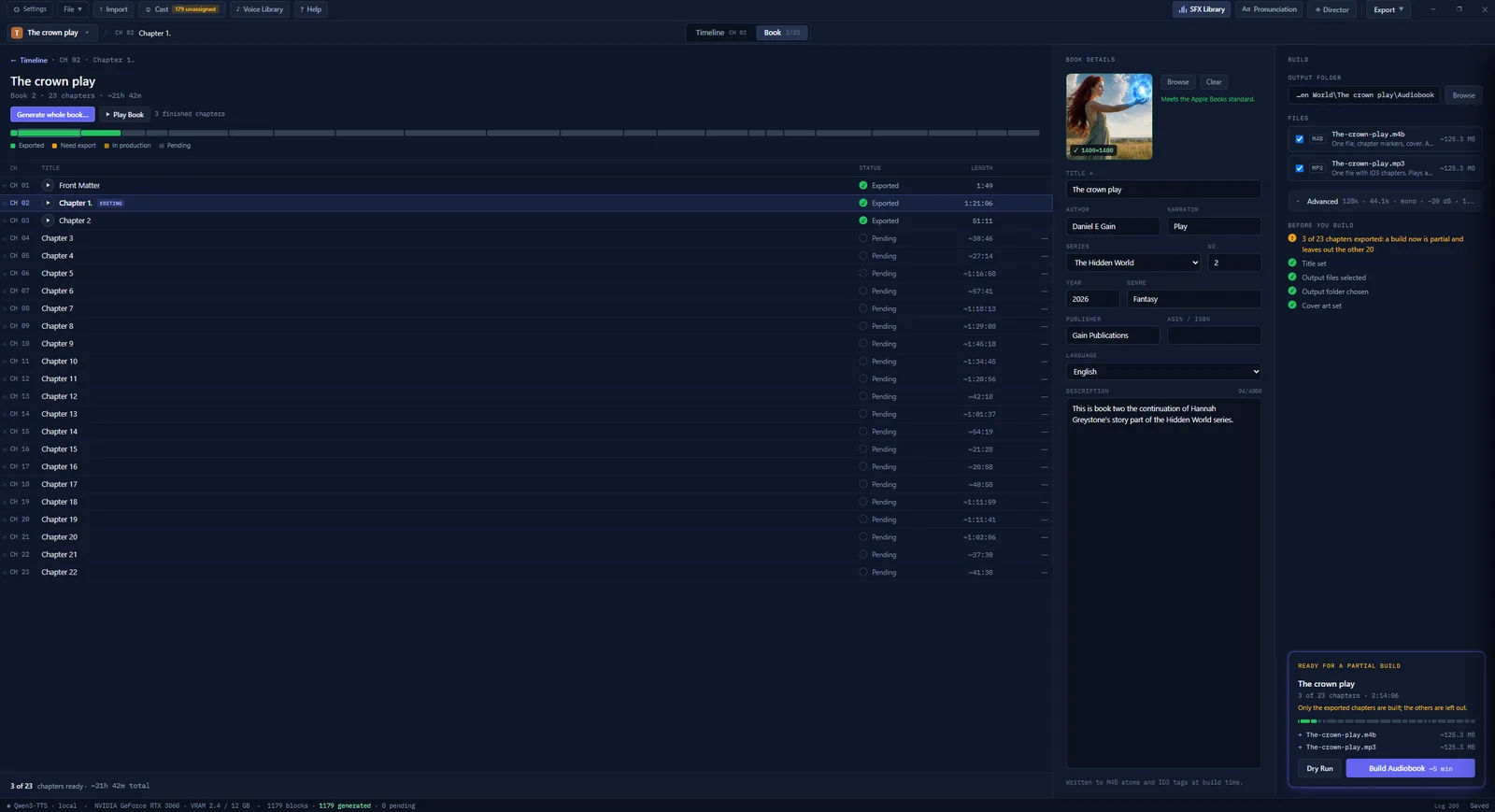
Book View & Audiobook Build
Follow every chapter from pending to exported, then build the finished audiobook: M4B with chapter markers and cover art, MP3 with ID3 chapters, or both. Title, author, narrator, series, and cover are written into the files.
M4B · MP3 · Chapters · Cover art
🔁
Selective Regeneration
Regenerate a single block, a single character's lines, or an entire chapter without touching anything else. When your script changes, update only what needs updating. Batch generation queues the whole production in one run.
Block-level control